
Badge Pick-up
Airport Registration
The Affiliate Leaders Summit offers convenient airport registration and badge pickup so you can get straight into business upon arrival. Located just a two-minute walk from luggage collection, the airport desk typically has much shorter lines than the venue. Collecting your badge here saves valuable time and ensures a smooth, stress-free start to your event experience.
When:
Sunday, 27 Sept – 09:00–23:00 Monday, 28 Sept – 06:30–23:00 Tuesday, 29 Sept – 06:30–21:00 Wednesday, 30 Sept – 06:30–15:00
Pro Tip icon
Pro Tip
Look out for our SBC-branded staff in the arrivals hall and follow the signage. They’ll guide you straight to the registration area so you don’t lose any time.
Good to Know icon
Good to Know
Multiple registration stations will be open, keeping wait times short (usually under ten minutes). Even if you’re tired from travelling, collecting your badge immediately is the smartest move.
Check the Floor Plan icon
Check the Floor Plan
Didn’t pick up your badge at the airport? Review the floor plan in advance. Use the search bar and type “Registration” to quickly locate all badge pickup points.
Badge Pick-Up Tip icon
Badge Pick-Up Tip
Your entire team doesn’t need to queue. One organised colleague can collect everyone’s badges, and we’re happy to allow badge pickup on behalf of others.
Have Your Confirmation Ready icon
Have Your Confirmation Ready
Save time by preparing your registration email before arrival. Search for “Registration Confirmation to SBC Summit 2026” and have the QR code ready to scan and print your badge. Label the email so it’s easy to find.
Try Using Your Email Address icon
Try Using Your Email Address
If you can’t locate your confirmation email, badge stations allow lookup by email address. If that still doesn’t work, staff at the help desk can retrieve your ticket using your name and company.
Support Staff icon
Support Staff
Support staff will be visible throughout the venue, directing you to the correct registration lanes based on your badge type. If one area is busy, they’ll guide you to a quieter desk or to dedicated registration points for the Affiliate Leaders Summit.
Badge Colours icon
Badge Colours
Badges are colour-coded so you can identify leads instantly on the expo floor: Yellow/Orange – Operators Purple – Affiliates Blue – All other attendees
Pre-Event Collection
Here are the other options for collecting your badge before the event:
Sunday

Exclusive badge collection will be available for SBC Leaders Summit attendees at the Myriad Hotel from 12:00 to 17:00.
Please note: this option is only for registered participants of the invite-only SBC Leaders Summit.
Monday

Pre-registration badge collection will take place at Feira Internacional de Lisboa from 12:00 to 20:00.
If you did not pick up your badge at the airport and want to avoid queues on event days, we strongly recommend collecting it at the FIL venue on Monday during this window.
Good to Know

C-level executives attending the invite-only SBC Leaders Summit on Monday at the 5-star Myriad by Sana Hotel will receive pre-printed badges delivered directly to their hotel rooms, provided they are staying at the Myriad.

Executives staying elsewhere can collect their badges at the Leaders Summit, where dedicated registration desks will be available.

This badge grants access to both the SBC Leaders Summit and the main SBC Summit, so keep it with you to skip the queues when you arrive at FIL.

Check the Floor Plan icon
Check the Floor Plan
Didn’t pick up your badge at the airport? Review the floor plan in advance to quickly locate the Affiliate Leaders Summit pickup point (North side of FIL).
Badge Pick-Up Tip icon
Badge Pick-Up Tip
Your entire team doesn’t need to queue. One organised colleague can collect everyone’s badges, and we’re happy to allow badge pickup on behalf of others.
Have Your Confirmation Ready icon
Have Your Confirmation Ready
Save time by preparing your registration email before arrival. Search for “Registration Confirmation to Affiliate Leaders Summit 2026” and have the QR code ready to scan and print your badge. Label the email so it’s easy to find.
Try Using Your Email Address icon
Try Using Your Email Address
If you can’t locate your confirmation email, badge stations allow lookup by email address. If that still doesn’t work, staff at the help desk can retrieve your ticket using your name and company.
Support Staff icon
Support Staff
Support staff will be visible throughout the venue, directing you to the correct registration lanes based on your badge type. If one area is busy, they’ll guide you to a quieter desk or to dedicated registration points for the Affiliate Leaders Summit.
Badge Colours icon
Badge Colours
Badges are colour-coded so you can identify leads instantly on the expo floor: Yellow/Orange – Operators Purple – Affiliates Blue – All other attendees
Event Day Registration
Registration 3, located at the north end of the venue, is reserved exclusively for Affiliate Leaders Summit attendees. As this is a standalone event this year, all attendees must collect their badge at this dedicated entrance. Main SBC Summit attendees must not use this access point. Refer to the floor plan, find the purple Affiliate Leaders Summit zone, and identify the correct entry side before arriving.
Check the Floor Plan icon
Check the Floor Plan
Didn’t pick up your badge at the airport? Review the floor plan in advance. Use the search bar and type “Registration” to quickly locate all badge pickup points.
Badge Pick-Up Tip icon
Badge Pick-Up Tip
Your entire team doesn’t need to queue. One organised colleague can collect everyone’s badges, and we’re happy to allow badge pickup on behalf of others.
Have Your Confirmation Ready icon
Have Your Confirmation Ready
Save time by preparing your registration email before arrival. Search for “Registration Confirmation to SBC Summit 2026” and have the QR code ready to scan and print your badge. Label the email so it’s easy to find.
Try Using Your Email Address icon
Try Using Your Email Address
If you can’t locate your confirmation email, badge stations allow lookup by email address. If that still doesn’t work, staff at the help desk can retrieve your ticket using your name and company.
Support Staff icon
Support Staff
Support staff will be visible throughout the venue, directing you to the correct registration lanes based on your badge type. If one area is busy, they’ll guide you to a quieter desk or to dedicated registration points for the Affiliate Leaders Summit.
Badge Colours icon
Badge Colours
Badges are colour-coded so you can identify leads instantly on the expo floor: Yellow/Orange – Operators Purple – Affiliates Blue – All other attendees
Understanding the Badges
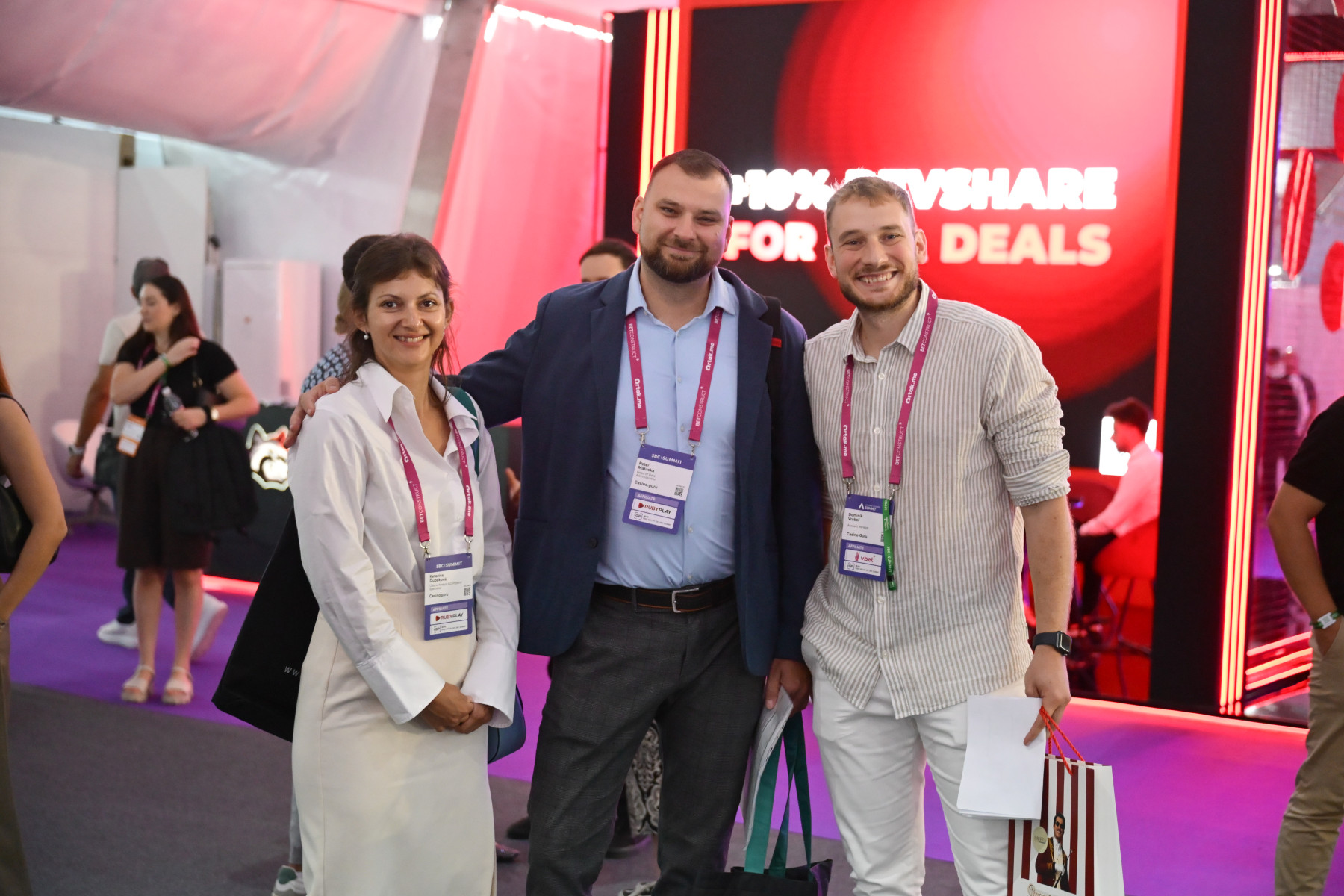
With 10,000 people on the show floor, knowing who’s who makes networking faster and far more productive. To help you identify key contacts instantly, the Affiliate Leaders Summit uses a simple colour-coded badge system: Yellow/Orange – Operators Purple – Affiliates Blue – All other attendees, including suppliers, service providers, regulators and more Your badge also serves as a quick-reference event guide. The Wi-Fi password is printed on the front, while the back includes essential SBC Connect information with QR codes to download the app and start scheduling meetings immediately. To reduce waste, plastic badge holders are not provided — please wear your badge as supplied. In short: one glance tells you who you’re speaking with, and one tap connects you to everything you need for a productive summit. Disclaimer: A ticket to SBC Summit does not grant access to the Affiliate Leaders Summit — a separate ticket is required. Likewise, an Affiliate Leaders Summit ticket does not grant entry to SBC Summit, though you can still enjoy shared offerings such as the Super Stage and evening events like Infinity Lisbon.
Check the Floor Plan icon
Check the Floor Plan
Didn’t pick up your badge at the airport? Review the floor plan in advance. Use the search bar and type “Registration” to quickly locate all badge pickup points.
Badge Pick-Up Tip icon
Badge Pick-Up Tip
Your entire team doesn’t need to queue. One organised colleague can collect everyone’s badges, and we’re happy to allow badge pickup on behalf of others.
Have Your Confirmation Ready icon
Have Your Confirmation Ready
Save time by preparing your registration email before arrival. Search for “Registration Confirmation to SBC Summit 2026” and have the QR code ready to scan and print your badge. Label the email so it’s easy to find.
Try Using Your Email Address icon
Try Using Your Email Address
If you can’t locate your confirmation email, badge stations allow lookup by email address. If that still doesn’t work, staff at the help desk can retrieve your ticket using your name and company.
Support Staff icon
Support Staff
Support staff will be visible throughout the venue, directing you to the correct registration lanes based on your badge type. If one area is busy, they’ll guide you to a quieter desk or to dedicated registration points for the Affiliate Leaders Summit.
Badge Colours icon
Badge Colours
Badges are colour-coded so you can identify leads instantly on the expo floor: Yellow/Orange – Operators Purple – Affiliates Blue – All other attendees
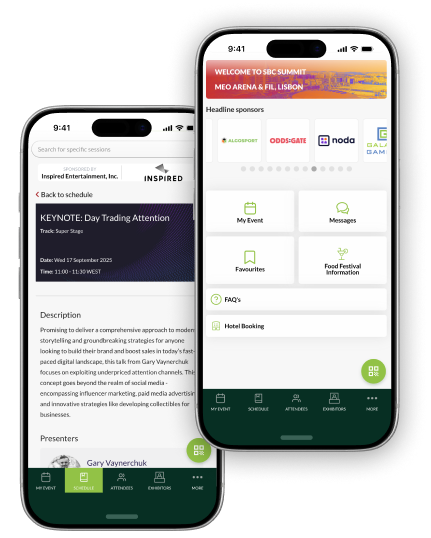
App Screenshots

Network Smarter & Stay Organised

SBC Connect is a 360° solution for smarter event planning.

Available to all registered attendees starting 24 August 2026

Download our event app