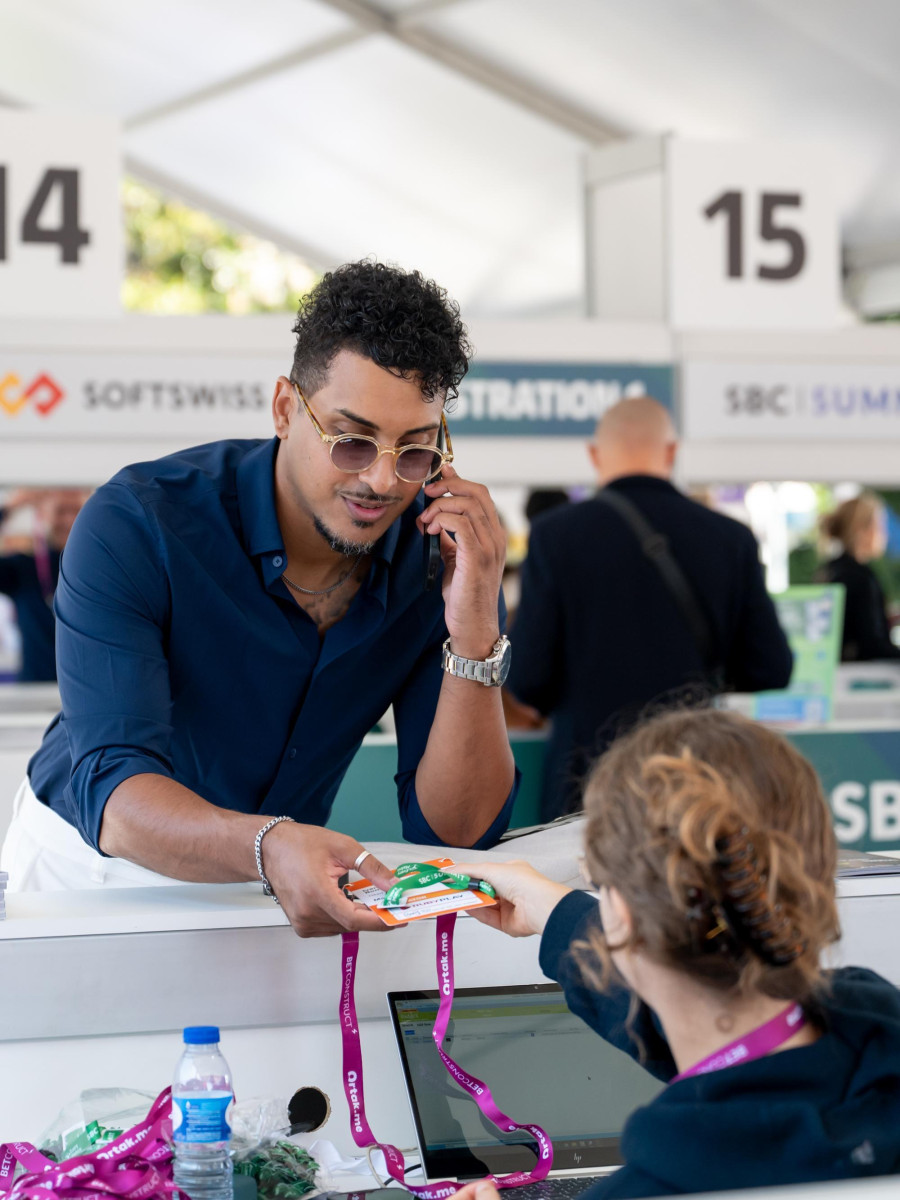
Badge Pick-Up
Airport Registration
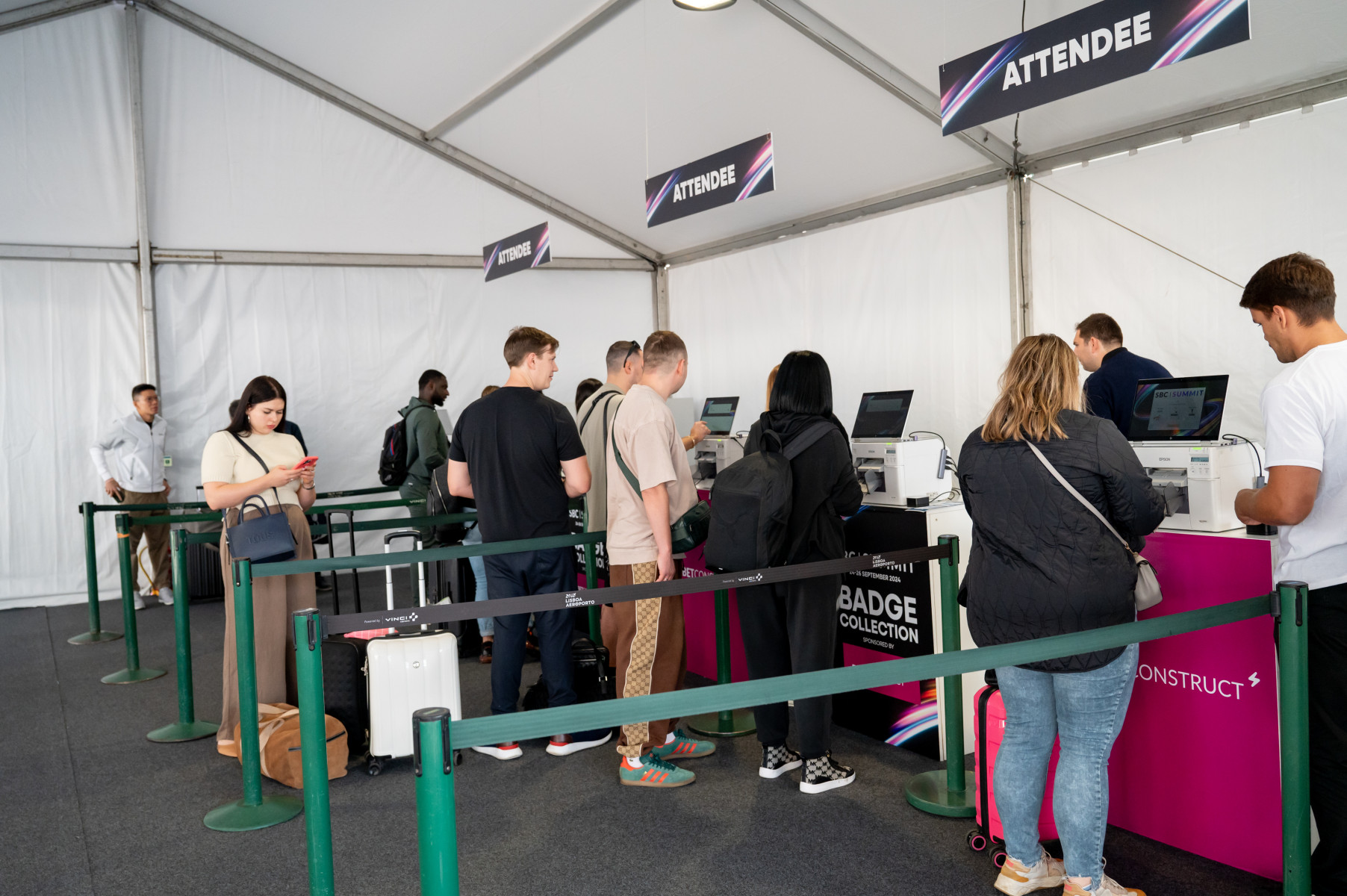
SBC Summit will offer convenient airport registration and badge pickup so you can get straight into business upon arrival. Located just a two-minute walk from luggage collection, the airport desk typically has much shorter lines than the venue. Collecting your badge here saves valuable time and ensures a smooth, stress-free start to your event experience.
When:
Sunday, 27 Sept – 09:00–23:00 Monday, 28 Sept – 06:30–23:00 Tuesday, 29 Sept – 06:30–21:00 Wednesday, 30 Sept – 06:30–15:00
Pro Tip icon
Pro Tip
Look out for our SBC-branded staff in the arrivals hall and follow the signage. They’ll guide you straight to the registration area so you don’t lose precious time.
Good to Know icon
Good to Know
Multiple registration stations will be open, keeping wait times short (usually under ten minutes). Even if you’re tired from travelling, collecting your badge immediately is the smartest move.
Check the Floor Plan icon
Check the Floor Plan
Didn’t pick up your badge at the airport? Review the floor plan in advance. Use the search bar and type “Registration” to quickly locate all badge pickup points.
Badge Pick-Up Tip icon
Badge Pick-Up Tip
Your entire team doesn’t need to queue. One organised colleague can collect everyone’s badges, and we’re happy to allow badge pickup on behalf of others.
Have Your Confirmation Ready icon
Have Your Confirmation Ready
Save time by preparing your registration email before arrival. Search for “Registration Confirmation to SBC Summit 2026” and have the QR code ready to scan and print your badge. Label the email so it’s easy to find.
Try Using Your Email Address icon
Try Using Your Email Address
If you can’t locate your confirmation email, badge stations allow lookup by email address. If that still doesn’t work, staff at the help desk can retrieve your ticket using your name and company.
Support Staff icon
Support Staff
Support staff will be visible throughout the venue, directing you to the correct registration lanes based on your badge type. If one area is busy, they’ll guide you to a quieter desk or to dedicated registration points for the Affiliate Leaders Summit.
Badge Colours icon
Badge Colours
Badges are colour-coded so you can identify leads instantly on the expo floor: Yellow/Orange – Operators Purple – Affiliates Blue – All other attendees
Event Day Registration
Registration 1
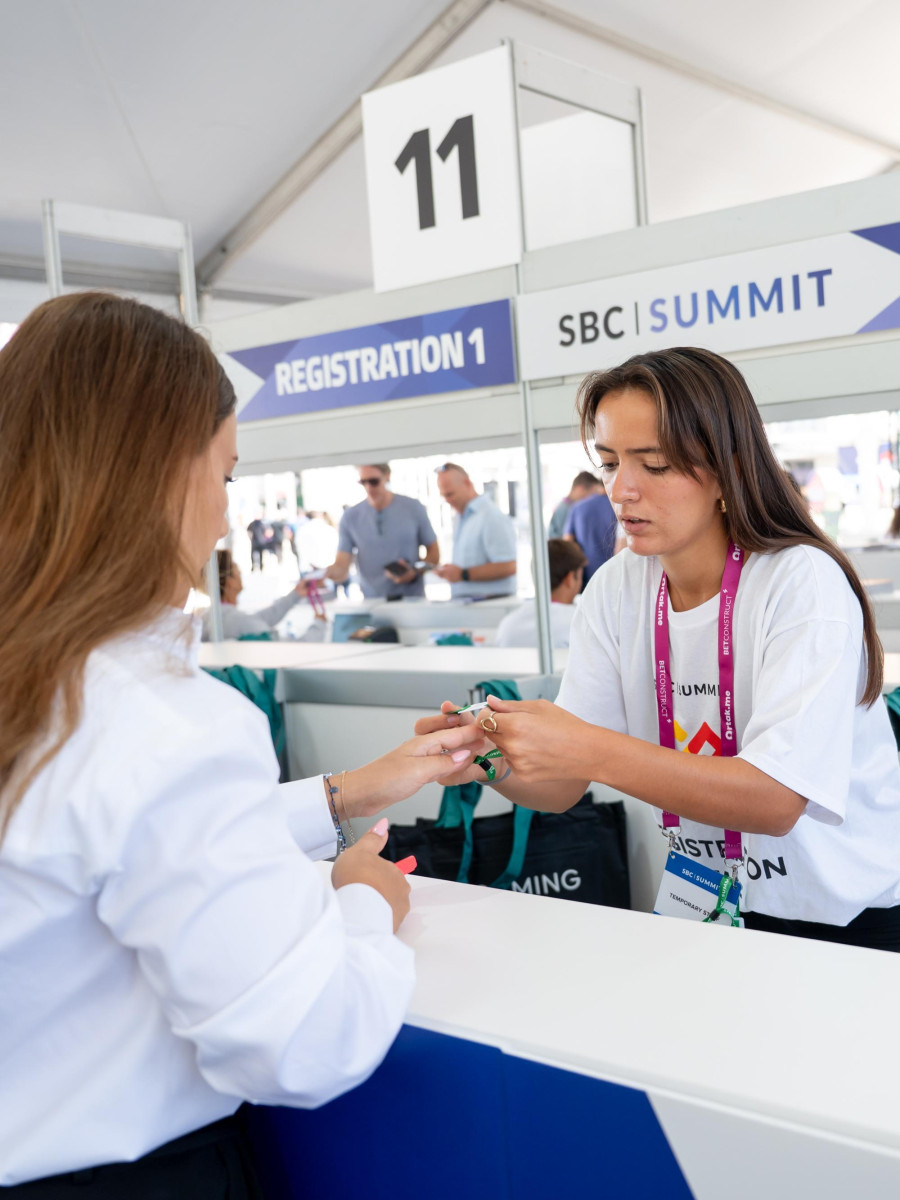
Located next to the FIL entrance, this is the main registration point with the most scanners and help desks. If you already have your badge, use the left lane to enter immediately. Speakers should inform staff on arrival to access a dedicated fast-track lane for quicker registration.
Registration 2
Positioned inside the building near Registration 1, this secondary area helps distribute attendee flow and reduce wait times. It offers the same services as the main desk and is ideal if Registration 1 appears busy.
Affiliate Leaders Summit Entrance
Located at the east end of the venue, this registration point is exclusively for Affiliate Leaders Summit attendees. It should not be used by attendees of the main SBC Summit. If you are only attending the main event, avoid this entrance and do not use it as your taxi or ride-share drop-off point.
Check the Floor Plan icon
Check the Floor Plan
Didn’t pick up your badge at the airport? Review the floor plan in advance. Use the search bar and type “Registration” to quickly locate all badge pickup points.
Badge Pick-Up Tip icon
Badge Pick-Up Tip
Your entire team doesn’t need to queue. One organised colleague can collect everyone’s badges, and we’re happy to allow badge pickup on behalf of others.
Have Your Confirmation Ready icon
Have Your Confirmation Ready
Save time by preparing your registration email before arrival. Search for “Registration Confirmation to SBC Summit 2026” and have the QR code ready to scan and print your badge. Label the email so it’s easy to find.
Try Using Your Email Address icon
Try Using Your Email Address
If you can’t locate your confirmation email, badge stations allow lookup by email address. If that still doesn’t work, staff at the help desk can retrieve your ticket using your name and company.
Support Staff icon
Support Staff
Support staff will be visible throughout the venue, directing you to the correct registration lanes based on your badge type. If one area is busy, they’ll guide you to a quieter desk or to dedicated registration points for the Affiliate Leaders Summit.
Badge Colours icon
Badge Colours
Badges are colour-coded so you can identify leads instantly on the expo floor: Yellow/Orange – Operators Purple – Affiliates Blue – All other attendees
Understanding the Badges
With 40,000 people on the show floor, knowing who’s who makes networking faster and far more productive. To make things easy, SBC Summit uses a simple colour-coded badge system that helps you identify key contacts at a glance. Badge colours: 🟡 Yellow/Orange – Operators 🟣 Purple – Affiliates 🔵 Blue – All other attendees, including suppliers, service providers, regulators and more Your badge also doubles as a handy event guide: The Wi-Fi password will be clearly displayed on the front, and the back side includes essential information about SBC Connect, including QR codes to download the app and start booking meetings instantly. To reduce unnecessary waste, we do not provide plastic badge holders, so please wear your badge as supplied. In short, one glance at a badge tells you who you’re talking to and one tap gets you connected to everything you need for a productive Summit.
Check the Floor Plan icon
Check the Floor Plan
Didn’t pick up your badge at the airport? Review the floor plan in advance. Use the search bar and type “Registration” to quickly locate all badge pickup points.
Badge Pick-Up Tip icon
Badge Pick-Up Tip
Your entire team doesn’t need to queue. One organised colleague can collect everyone’s badges, and we’re happy to allow badge pickup on behalf of others.
Have Your Confirmation Ready icon
Have Your Confirmation Ready
Save time by preparing your registration email before arrival. Search for “Registration Confirmation to SBC Summit 2026” and have the QR code ready to scan and print your badge. Label the email so it’s easy to find.
Try Using Your Email Address icon
Try Using Your Email Address
If you can’t locate your confirmation email, badge stations allow lookup by email address. If that still doesn’t work, staff at the help desk can retrieve your ticket using your name and company.
Support Staff icon
Support Staff
Support staff will be visible throughout the venue, directing you to the correct registration lanes based on your badge type. If one area is busy, they’ll guide you to a quieter desk or to dedicated registration points for the Affiliate Leaders Summit.
Badge Colours icon
Badge Colours
Badges are colour-coded so you can identify leads instantly on the expo floor: Yellow/Orange – Operators Purple – Affiliates Blue – All other attendees
Check the Floor Plan icon
Check the Floor Plan
Didn’t pick up your badge at the airport? Review the floor plan in advance. Use the search bar and type “Registration” to quickly locate all badge pickup points.
Badge Pick-Up Tip icon
Badge Pick-Up Tip
Your entire team doesn’t need to queue. One organised colleague can collect everyone’s badges, and we’re happy to allow badge pickup on behalf of others.
Have Your Confirmation Ready icon
Have Your Confirmation Ready
Save time by preparing your registration email before arrival. Search for “Registration Confirmation to SBC Summit 2026” and have the QR code ready to scan and print your badge. Label the email so it’s easy to find.
Try Using Your Email Address icon
Try Using Your Email Address
If you can’t locate your confirmation email, badge stations allow lookup by email address. If that still doesn’t work, staff at the help desk can retrieve your ticket using your name and company.
Support Staff icon
Support Staff
Support staff will be visible throughout the registration tent directing you to the correct registration lanes. If one area is busy, they’ll guide you to a quieter desk or to dedicated registration points.
Badge Colours icon
Badge Colours
Badges are colour-coded so you can identify leads instantly on the expo floor: Yellow/Orange – Operators Purple – Affiliates Blue – All other attendees